



Payment Options
and Procedures

CIT University offers a variety of convenient payment options, both online and onsite, to make paying for tuition and other fees easy and accessible for students.

On-site Straight Credit Card Payments through Maya

The University now accepts ONSITE straight credit card payments through Maya, including Visa, Mastercard, American Express, JCB, and BancNet subject to the applicable merchant discount rate (as add-on to the school fees payment). Only the amount of school fees paid (exclusive of the added merchant discount rate) shall be credited to the students’ ledger and statement of account.

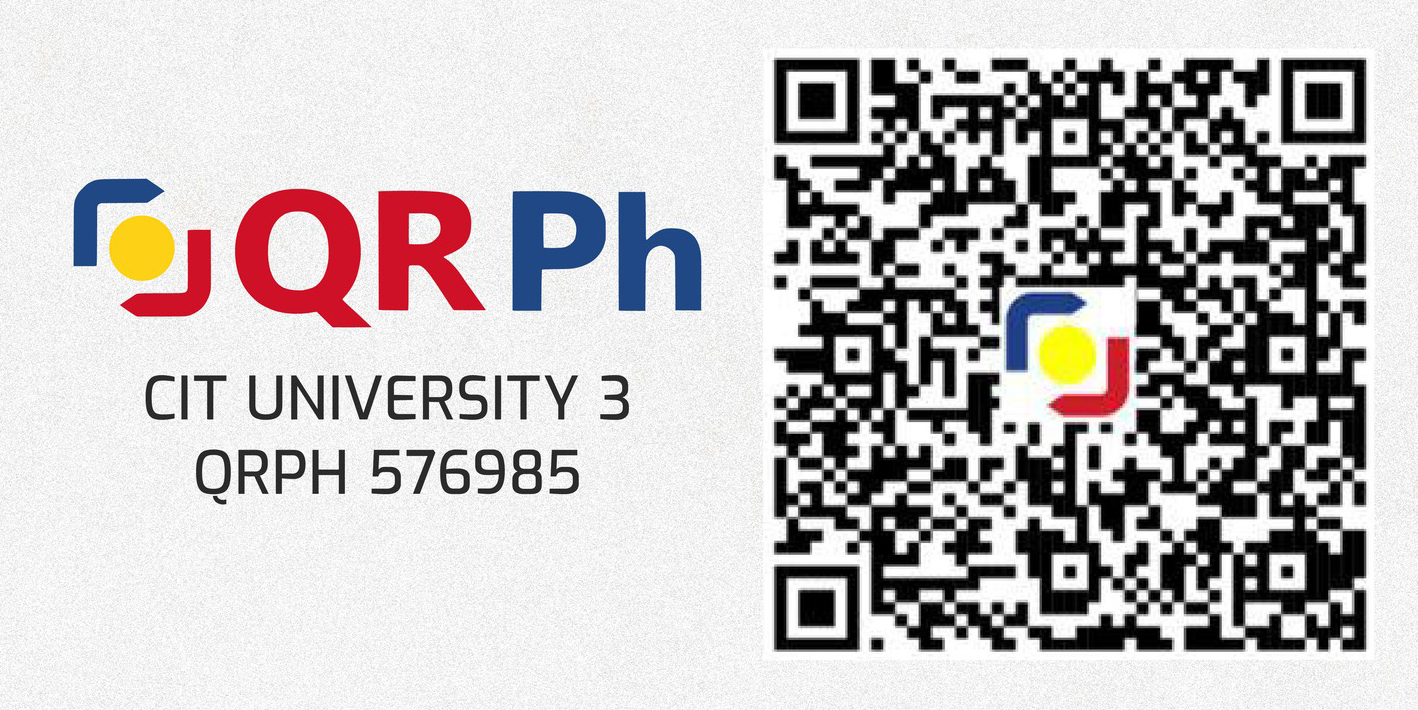
Online E-wallets and Debit Accounts using QRPh - Maya

Online payments made via e-wallets and debit cards can be processed through QR Ph and will be subject to a fixed transaction fee of P10.00 per transaction.

These shall be posted within 24 hours. Kindly submit proof of payment using this link: https://bit.ly/CITUproofofpayment

Real-Time Dragonpay Payment Posting via WITS

Log in to WITS (student.cituwits.com) and go to Student Tools → Dragonpay Payments. Alternatively, proceed to Student Management → View Statement → Installment Dues → Pay button.


Payments are subject to P20.00 transaction fee, posted in real time, and status updates can be monitored instantly. Available for all Dragonpay partners except e-wallets.


Online e-wallet payments can be processed using the Online-Offsite Payment Portal (https://cituonlinepayment.powerappsportals.com/Payment-Portal/).

In addition to the P20.00 transaction fee, kindly note that charging of convenience fees may vary per payment option (e.g., P10.00 transaction fee + 2% convenience fee for GCash and e-wallet payments). Proof of payment submission is not required. 

BPI and BDO Bills Payment

Enroll Cebu Institute of Technology – University (CIT-U) as biller and input the student number in the Reference Number field. Payments will be posted within 3-5 banking days. Submission of proof of payment is not required.

Online and Over-the-counter bank payments/InstaPay (Non-BDO/BPI)

For non-BDO/BPI bank account holders, payments can be made using the
following bank account details:

Account Name:
CEBU INSTITUTE OF TECHNOLOGY UNIVERSITY, INC.

BPI

BPI Account No. 9051-0005-25

.

BDO

BDO Account No. 1851338398

Kindly submit proof of payment using this link:
https://bit.ly/CITUproofofpayment

Check payment

Please indicate “CEBU INSTITUTE OF TECHNOLOGY-UNIVERSITY, INC.” as the payee name. Only corporate and manager’s checks are accepted for onsite payments. Check payments may also be deposited using the bank details for online and over-the-counter bank payments.

Flexible tuition installment plans

To help ensure a smooth and uninterrupted examination experience, students are strongly encouraged to settle at least their minimum required dues (or finalize an approved payment arrangement) on or before the scheduled examination dates. This will allow your Exam Clearance/Exam Permit status to be updated in the Enrollment Portal and help avoid any delays or admission concerns on exam day.

Teknoys, ready to apply for a Bukas tuition installment plan?

Make sure to prepare accurate, correct, and complete requirements.

Valid ID of student
and co-borrower

College ID, passport, driver’s license, UMID, national ID, postal ID, etc.
Proof of residence
of student and/or
co-borrower

Electricity bill, barangay certificate, internet/landline bill, water bill

Proof of income
of student and/or
co-borrower

Payslips, employment contract, payroll account, bank statement

CIT-U tuition
assessment form

Form must show student name, student number, and total tuition dues

For more information, visit: bukas.ph/help-center

Pay your tuition at CIT-U with Bukas

Get your tuition covered this semester. Follow these easy and simple steps:

STEP 1:
REGISTER

Visit app.bukas.ph to register and create your profile.

STEP 2:
SUBMIT APPLICATION

Submit your filled-out application form together with your requirements.

STEP 3:
CONFIRM CONTRACT

Once your application is approved, review your contract and click “confirm” to proceed.

STEP 4:
STUDY AND PAY YOUR MONTHLY DUES

Upon confirmation, Bukas will disburse your payment directly to CIT-U while you pay your monthly dues to Bukas at any of our payment channels.

For more information, visit: bukas.ph/help-center